|
CD Recording
Instructions |
|
The sermons on this website are saved in
streaming Windows Media Format. When you click on these files,
they should start playing automatically. For those who wish to download
and record them to CD's please follow these instructions. 1. Download the audio sermon to your computer hard drive. (See downloading instructions) 2. Verify that you have a current copy of Windows Media Player. Version 10 or later is recommended. To determine your version, open Windows Media Player from your start menu. Go to the access application menu command from there, (see illustration).
If you do not have Windows Media
Player, version 10 or later, a free copy of it can be downloaded and
installed from Microsoft's website by following this link,
Once you have Windows Media version 10, you can easily burn your own CD's of any audio files on your computer that Windows Media Player supports. Here's how you do it: 1. Insert a
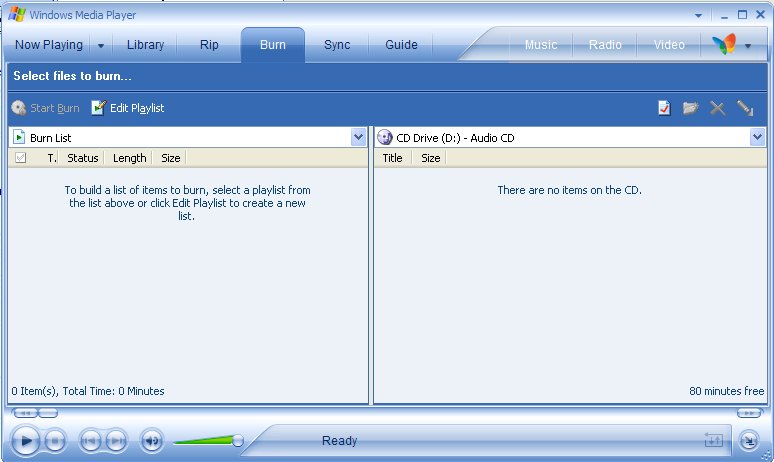
blank CD into your CD burner. You will see a new window open on your screen, (See illustration below).
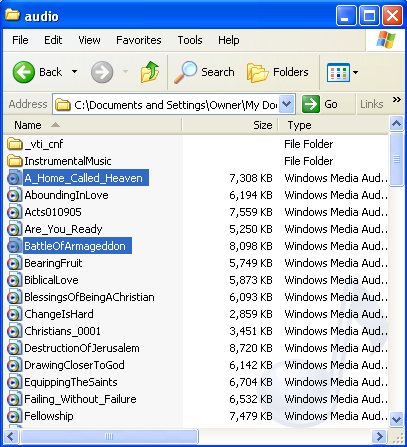
4. Next, open the folder that contains your audio files you wish to select from for your CD, (See illustration below).
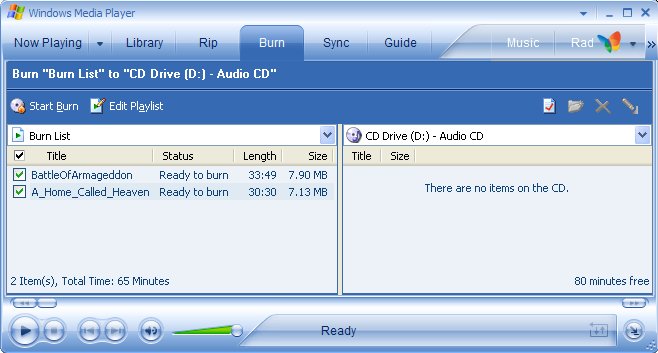
5. Take your mouse, highlight the file or files you wish to burn and while holding down the left button drag and drop your selections onto the left hand area of the Windows Media Burn Window. The program will tell you how many minutes you have available for audio. If you exceed this limit, the program will let you know. Once you have your selections picked you can change their order, delete or add more as you wish. When you are satisfied with the content and arrangement of your audio files, simply click on the "Start Burn" command at the upper left of the window, (see illustration below).
|
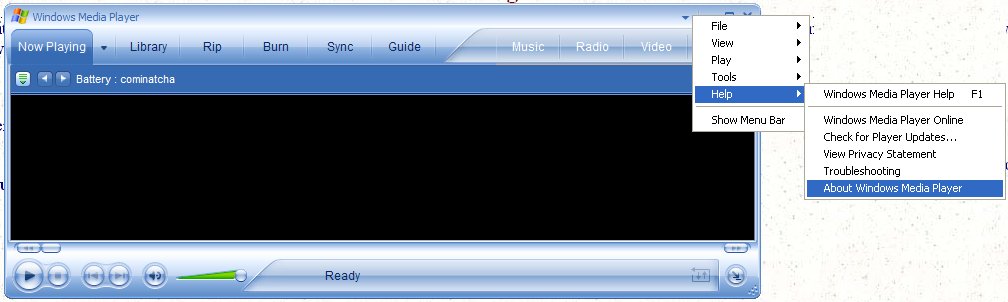
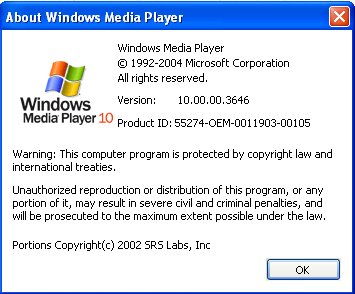 In
the upper right hand corner of the player there is a little arrow
pointing down. Click on this to see the cascading application
menu. Choose Help, then choose About Windows Media Player as
highlighted in the illustration. You will then see another window
that will tell you the version of your media player, (see
illustration right).
In
the upper right hand corner of the player there is a little arrow
pointing down. Click on this to see the cascading application
menu. Choose Help, then choose About Windows Media Player as
highlighted in the illustration. You will then see another window
that will tell you the version of your media player, (see
illustration right).